


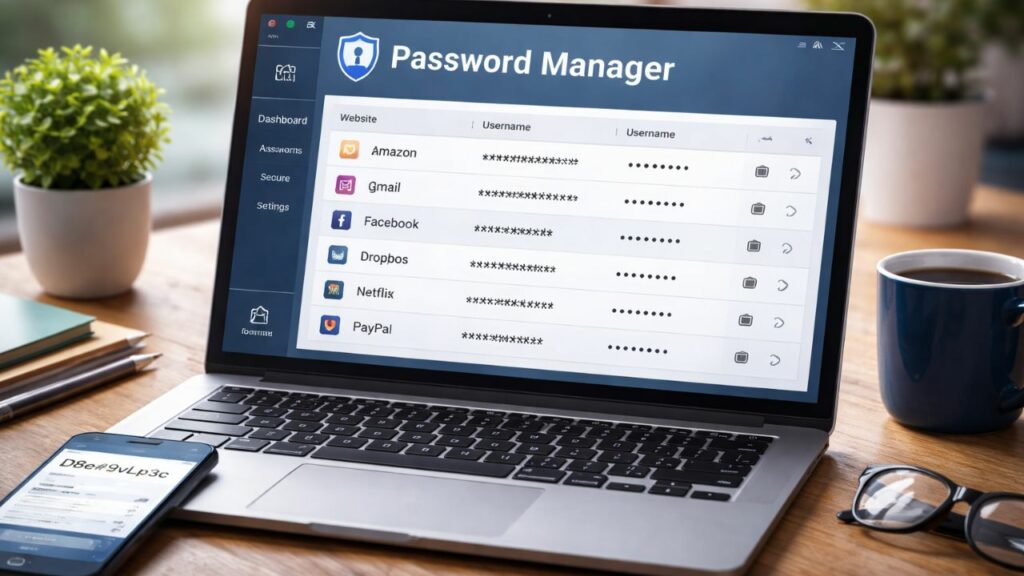
A free password manager is enough for most individuals who use one or two devices, while paid plans make sense if you need family sharing, emergency access, advanced security reports or unlimited syncing across many devices. Using any reputable password manager is far safer than reusing passwords.
This guide explains what password managers do, how free and paid versions differ, and how to choose.
What Is a Password Manager?
A password manager stores all your logins in an encrypted vault protected by one strong master password. It can generate unique passwords, fill them in automatically and warn you if a password has leaked or is weak.
Since weak and reused passwords are a leading cause of account takeovers, a manager removes the biggest risk: remembering passwords yourself.
Free vs Paid: Key Differences
| Feature | Typical free plan | Typical paid plan |
|---|---|---|
| Unlimited passwords | Usually yes | Yes |
| Sync across devices | Sometimes limited to one device type | All devices |
| Password generator | Yes | Yes |
| Breach and weak-password alerts | Basic or none | Full monitoring |
| Family or team sharing | Limited or none | Yes |
| Emergency access | Rare | Often included |
| Encrypted file storage | No | Often included |
| Priority support | No | Yes |
Plan limits change often, so always check the provider’s current pricing page before deciding.
Popular Password Managers Compared
Bitwarden
Bitwarden is open source and widely praised for its generous free plan, which includes unlimited passwords and sync across devices. Paid plans add extras like advanced two-factor options, security reports and larger encrypted storage at a low yearly price.
Best for: budget-conscious users who want strong features for free.
1Password
1Password has no permanent free tier, only a trial, but it is known for a polished design, strong security features and excellent family sharing.
Best for: families and people who want an easy, premium experience.
Proton Pass
From the makers of Proton Mail, Proton Pass offers a free plan with unlimited logins and a privacy-first approach. Paid plans add features such as built-in two-factor code storage and advanced email aliases.
Best for: privacy-focused users already using Proton services.
Dashlane
Dashlane offers a limited free plan and paid plans with dark web monitoring and a built-in VPN on some tiers.
Best for: users who want extra identity-protection features.
Browser and Phone Built-In Managers
Google Password Manager, Apple Passwords (iCloud Keychain) and Microsoft Edge’s manager are free and convenient. They work best inside one ecosystem and usually lack advanced sharing and audit tools.
Best for: beginners who want something simple.
Are Free Password Managers Safe?
Yes, if you choose a reputable one. Encryption quality is generally the same across free and paid tiers. What you pay for is convenience, support and extra features, not basic protection. Avoid unknown apps with few reviews, and be cautious of any tool that does not publish how it protects your data.
When Should You Pay?
Consider a paid plan if you:
- Share logins with family or a team
- Use many devices on different platforms
- Want alerts about leaked passwords and weak logins
- Need secure storage for documents or recovery codes
- Want priority support and emergency access for a trusted contact
How to Choose the Right Password Manager
- Check security: Look for strong encryption, a zero-knowledge design and independent security audits.
- Check compatibility: It should work on your phone, computer and browser.
- Test usability: Autofill should be quick and reliable.
- Review limits: Confirm what the free plan restricts.
- Check the company’s track record: Read how it handled past incidents.
How to Get Started Safely
- Create a long, unique master password, such as a passphrase of four or more random words.
- Turn on two-factor authentication for the manager itself.
- Save your recovery key or emergency kit somewhere safe, offline.
- Import passwords from your browser, then delete the browser’s saved copies.
- Change weak and reused passwords, starting with email, banking and social accounts.
Frequently Asked Questions
Is a free password manager good enough?
For most individuals, yes. You get secure storage, a generator and autofill. Upgrade only if you need sharing or advanced features.
What happens if I forget my master password?
Most managers cannot recover it for you, by design. Keep a recovery key or emergency kit in a safe place.
Can password managers be hacked?
No software is perfectly safe, but reputable managers encrypt your vault so that stolen data is unreadable without your master password. Strong master passwords and two-factor authentication greatly reduce the risk.
Is it safe to use my browser’s built-in password manager?
It is much better than reusing passwords, and fine for beginners. A dedicated manager adds stronger sharing and audit features.
Should I store two-factor codes in my password manager?
It is convenient, but for your most important accounts, keeping codes in a separate authenticator app adds another layer of security.
Final Thoughts
The best password manager is the one you will actually use. Start with a free, reputable option, and upgrade only when you need features that save you real time or protect your family.